Start with the labels you actually need
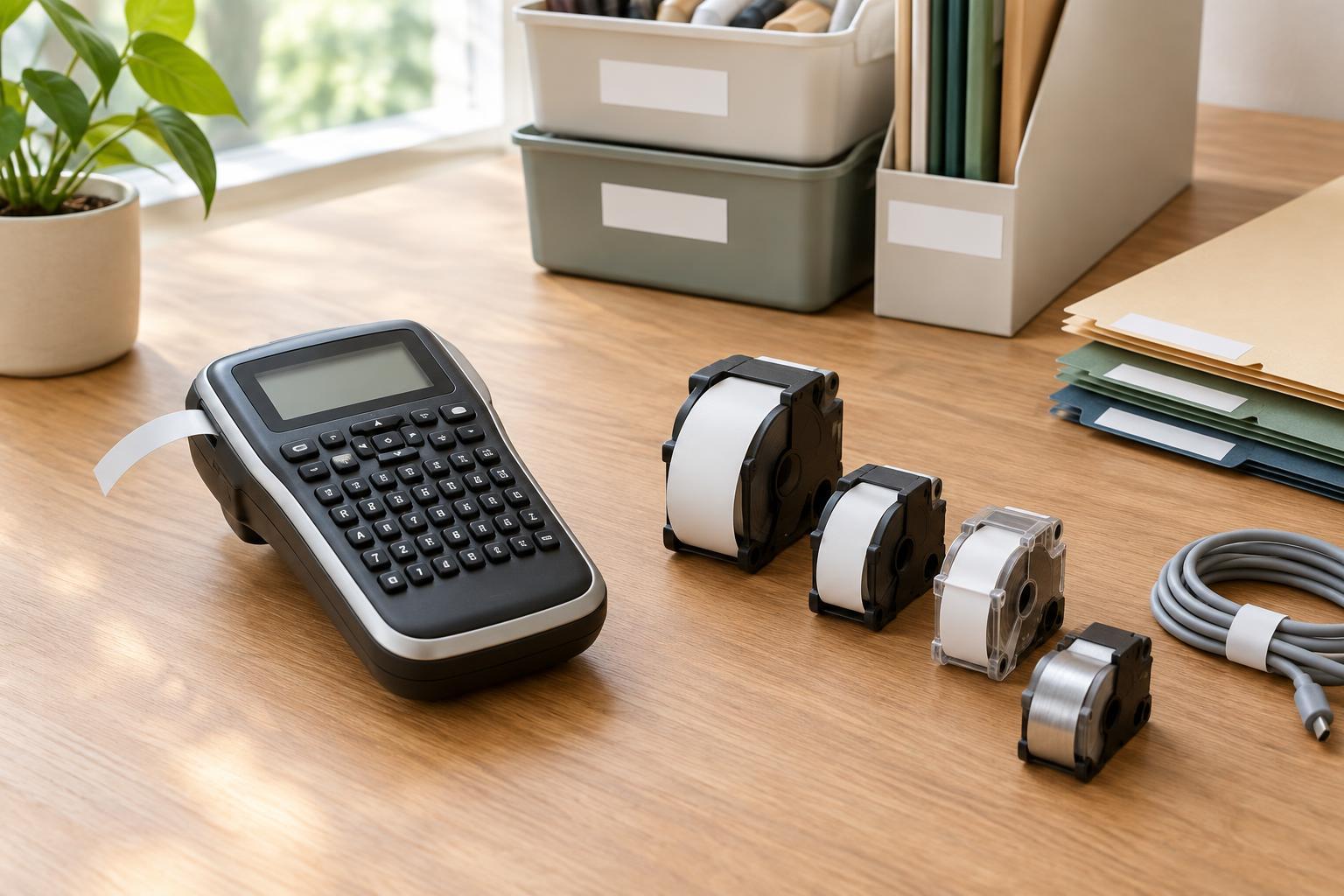
A label maker is easiest to choose when you begin with a short list of jobs rather than a list of devices. In a home office, you might label file folders, storage boxes, shelves, cables, and equipment. A small business may also need labels for inventory bins or items that change hands often. Write down the surfaces, the space available for each label, and whether the label must survive frequent handling.
Also consider how many labels you will make at once. A handheld model with a built-in keyboard can be convenient for occasional labels made beside a shelf or cabinet. A desktop model may suit batches of consistent labels, especially if you want to prepare text on a computer. Neither format is automatically better: the useful distinction is whether you value portability or a larger editing workspace.
Choose tape widths for readability and fit
Tape width controls how much vertical space a label has. Narrow tape can fit on folder tabs, cable identifiers, and slim drawers. Wider tape gives longer names, larger type, or multiple lines more room to breathe. A wider label is not always easier to use, though: it may hang over a small tab or cover information already printed on an item.
Check the exact widths a device accepts, not just the width shown in its product photos. Some models support only one or two sizes, while others accept a broader range. If your jobs vary, a device that takes both narrow and medium-width tape may be more flexible than one built around a single wide format. Before buying, measure a few likely labeling spots and decide whether one line of text is enough.
Print settings matter alongside width. Adjustable font size, line spacing, and margins can help a short label fit neatly without making the text hard to read. If you expect to label many similar items, previewing a sample layout before printing a batch can reduce wasted tape.
Match the label material to the surface
Standard adhesive tape is often sufficient for clean, dry folders, drawers, and indoor storage. For textured surfaces or items that are handled frequently, check whether the device offers a stronger-adhesive option. If you plan to label items exposed to moisture, heat, or sunlight, look for a compatible material described for those conditions rather than assuming every tape will hold up equally well.
Removability is just as important as durability. A firmly bonded label may be useful on a permanent storage bin but inconvenient on a borrowed device or a container whose contents change. Some systems offer removable tapes; others offer specialty options such as flexible tape for cables or fabric-compatible labels. These supplies are usually specific to a device or cartridge family, so confirm compatibility before counting on a particular material.
The surface itself affects the result. Labels tend to apply more neatly when the area is clean, dry, and reasonably smooth. Test one label in an unobtrusive spot if you are unsure how it will adhere or whether removal might leave residue.
Decide how you want to enter and print text
A built-in keyboard lets you make a label without opening an app or pairing another device. That simplicity is valuable for quick, one-off tasks. A phone-connected model can make editing easier if you prefer a touchscreen, while a computer-connected model may be useful for preparing repeated labels from a desk. Check whether a connected model can also print independently; some cannot.
Connectivity descriptions can hide practical differences. Bluetooth may suit printing from a nearby phone, while USB provides a direct computer connection. Wi-Fi may allow more flexible placement, but setup and supported devices vary by model. Before purchase, verify that the label maker’s software works with the phones or computers you use, and check whether the features you need, such as saved templates or batch printing, are available on that platform.
Templates and symbols can save time, but they should support your workflow rather than drive the purchase. If you mainly need clear folder names, straightforward text entry and a legible preview may matter more than decorative options.
Compare the ongoing cost, not just the device
Replacement supplies can shape the long-term cost of a label maker. Compare the price and length of compatible tape cartridges in the widths and materials you expect to use. Check whether the device leaves blank space before or after each printed label, particularly if you will make many short labels. You can often limit waste by printing several labels in one session, where the device and software allow it.
Think about power and upkeep as well. A portable device may use replaceable or rechargeable batteries, while a desk model may rely on an adapter. Look for clear instructions on loading tape and resolving common feed problems. The best choice is the one whose everyday supplies and controls fit your actual jobs: readable labels, suitable adhesion, and a way of printing that you will comfortably use.