Start with a cable map, not a bundle of ties
Before moving anything, identify the cords serving your desk, printer, monitor, router, lamps, and charging devices. Follow each cable from device to outlet or port. This helps you spot cords that cross a walking path, stretch tightly behind furniture, or belong to equipment you no longer use. Unplug equipment before rearranging its cables, and label connections you may need to restore.
Sketch a simple route for the cables that remain. Aim to keep them along the back or underside of furniture rather than across open floor. Place frequently unplugged items, such as a laptop charger or scanner cable, where you can reach them without moving a desk. Cables that rarely change can take a less visible route, provided their connections remain accessible for inspection and troubleshooting.
Choose routes that fit the way you work
The best route depends on where people move and how equipment is used. A cable running directly from a desk to a wall outlet may be short, but it is a poor choice if it crosses the path to a door. Moving the desk, shifting equipment closer to an outlet, or routing cords along the desk edge may solve the problem without adding accessories.
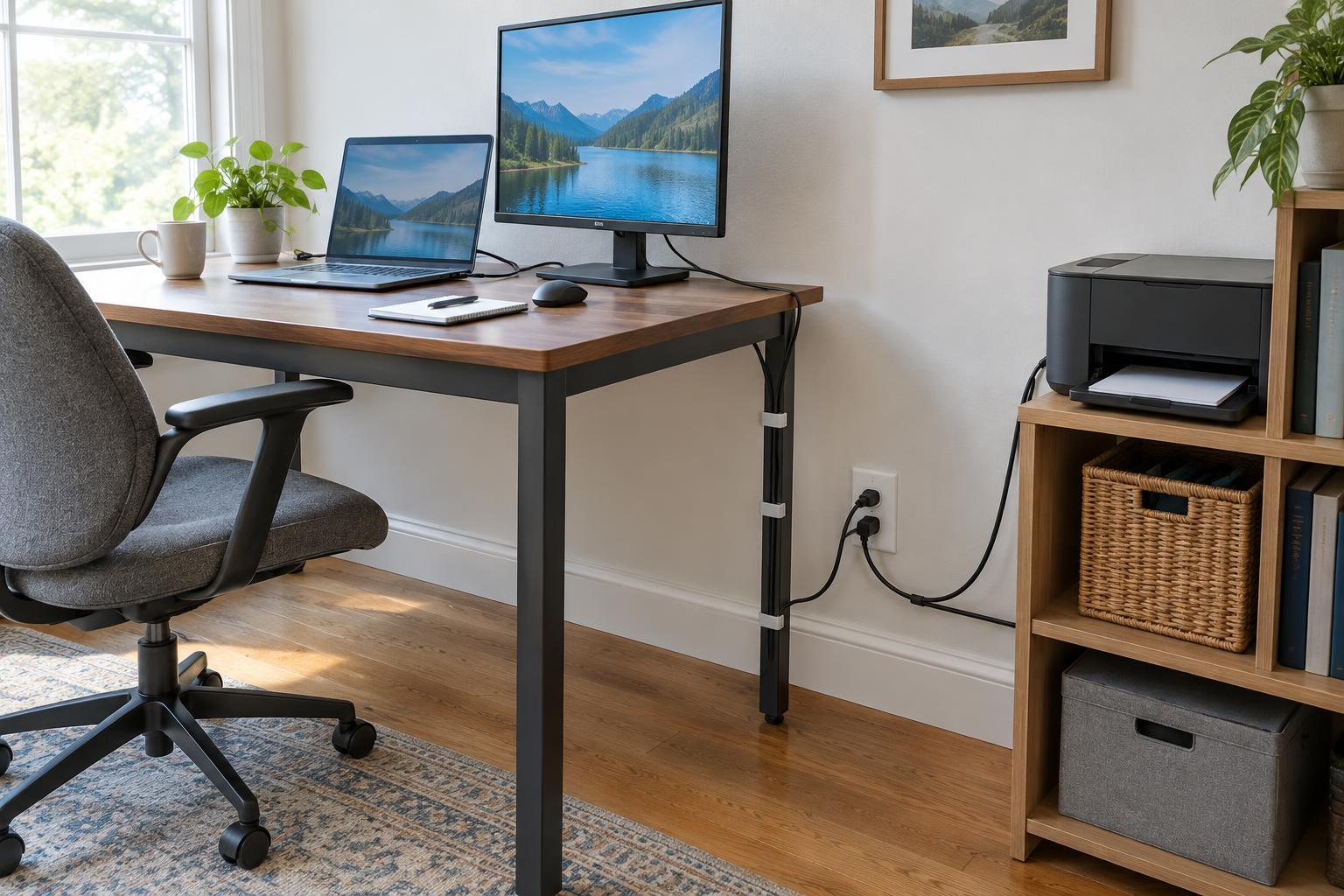
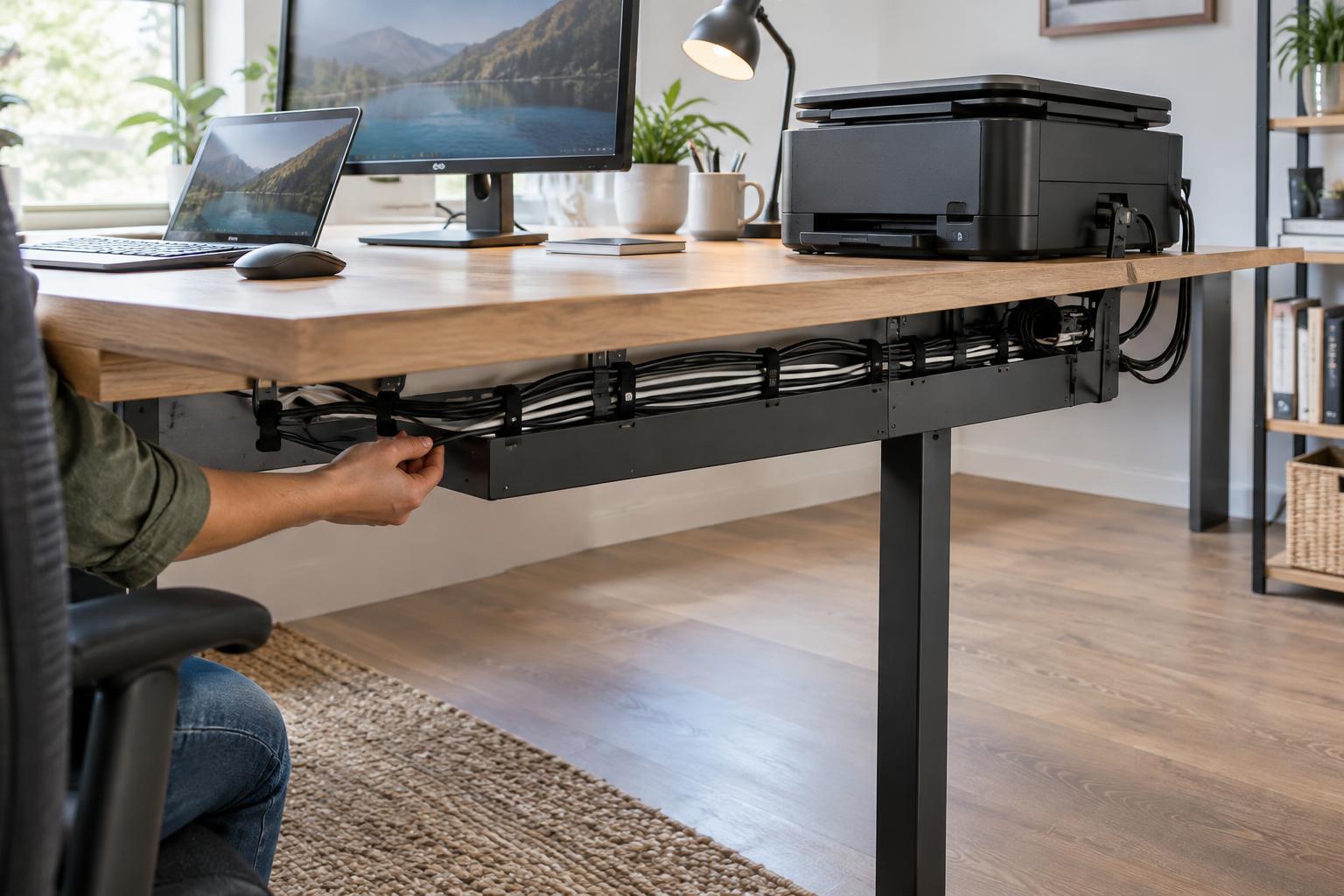
For a fixed desk, adhesive clips or a cable tray can guide cords beneath the work surface. Check that a clip suits the cable size and that its adhesive is appropriate for the surface. A sit-stand desk needs more slack: raise and lower it slowly while watching for pinched cables, snagged connectors, or a cord that pulls taut. Leave enough room for the full range of movement, but keep the slack gathered away from feet and chair wheels.
Avoid routing power cords under rugs, through doorways, or where furniture can crush them. If a floor crossing cannot be avoided, consider a cord cover intended for that setting and position it so it does not create a new trip hazard. A different furniture layout is often the simpler option.
Secure cables without making changes difficult
Group cords by destination rather than pulling every cable into one large bundle. For example, monitor cables can follow one path toward the computer, while printer cables can follow another toward the power source and network connection. Reusable hook-and-loop straps make it easier to remove a single cable later than tightly fastened plastic ties. Secure bundles loosely enough that cords are not compressed or sharply bent.
Leave a small, controlled loop of slack near devices you move for cleaning or maintenance. Keep that loop off the floor with a clip or tray. Labeling both ends of similar-looking cables can save time when you replace a printer, change a monitor, or troubleshoot a connection. Simple labels such as “printer power” and “monitor video” are more useful than labels based only on cable color.
Keep outlets, plugs, and power strips reachable. Follow the instructions and ratings for any power strip or surge protector, and do not connect power strips to one another. If you need more outlets than the workspace provides, avoid treating a chain of extension cords as a permanent layout fix.
Give shared equipment its own cable plan
Printers, scanners, and other shared devices often sit away from the main desk, so their cords deserve a separate check. Look at the paths people take to collect pages, open paper trays, and clear jams. Route cables behind or beside the equipment without blocking vents, access panels, or the space needed to pull out a tray. Allow enough slack to move the device as its instructions require, but not enough to leave loops on the floor.
If several people use the workspace, make connection points easy to identify. A labeled charging cable at the edge of a desk is more convenient than one hidden inside a bundle. For devices that are rarely disconnected, a cable tray can keep connections tidy while still allowing someone to trace a cord when something stops working.
Make cable checks part of routine upkeep
Cable management is not a one-time project. After adding or moving equipment, check the area from the perspective of someone walking through it and someone seated at the desk. Push the chair back, open drawers, and move any adjustable work surface through its normal range. Look for cords that rub, pull, or fall into a walkway.
Every so often, remove unused cables and check that clips and covers remain secure. If a cord or plug appears damaged, stop using it and follow the equipment maker’s guidance on replacement. The goal is a setup that is easy to navigate and easy to change: clear walking space, visible connections where you need them, and no need to dismantle the whole desk to reach one cable.