Decide what you need to capture
A digital copy of a clothing care label is useful when the original print is small, awkward to reach or starting to fade. Before scanning, check both sides of the label and any nearby tags. Fabric information, care symbols and written instructions may appear in different places. Photograph the whole label first, then take a closer image if the text is too small to read.
Include enough of the garment in one image to identify it later, especially if several items have similar labels. A picture of the shirt, jacket or pair of trousers can sit beside its label image. Recording the garment’s name or a short description at the same time saves you from trying to match anonymous tag images months later.
Treat the image as a reference, not a replacement for the label. If a symbol is unclear in the original, enlarging a scan cannot reliably reveal detail that was never captured. Keep uncertain instructions marked as uncertain rather than guessing what a blurred symbol means.
Choose a phone or flatbed scanner
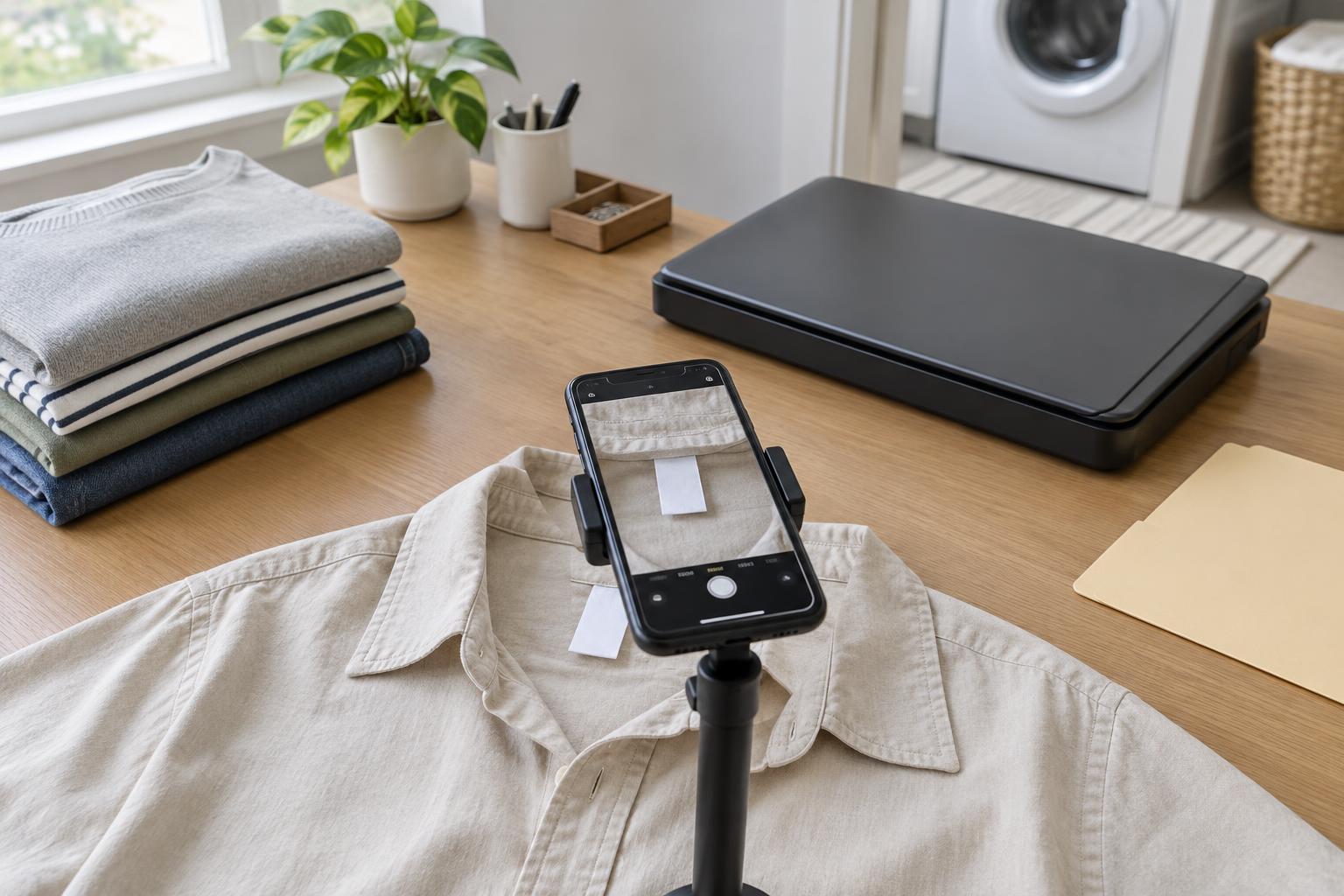
A phone is usually the easiest tool for labels sewn inside clothing. Move the garment to a well-lit surface, smooth the label gently and hold the camera parallel to it. Avoid casting a shadow across the text. If the label curls, hold its edges outside the printed area or ask someone to help keep it flat. Take another image if the camera has focused on the fabric behind the tag instead of the lettering.
A flatbed scanner can help with a loose, reasonably flat label or a tag that can rest against the glass without pulling on the garment. Place a clean sheet of plain paper behind a thin label if text or fabric shows through. Preview the scan and check that no edge is cut off. Avoid forcing a bulky garment under the lid; a phone may give a sharper, less distorted result in that situation.
Whatever device you use, inspect the result at a size where you can read the smallest important line. Check for glare, motion blur and folded corners before putting the garment away. Capturing one clear image now is quicker than repeating the job when you need the instructions.
Make the files searchable without relying on OCR
An image file preserves the symbols and layout, but its contents may not appear in a text search. Optical character recognition, or OCR, can sometimes extract printed words from a clear label. Tiny type, creases, unusual fonts and care symbols can produce errors, so compare any extracted text with the image before relying on it. Keep the original image even if you add a text note.
Use a consistent filename based on details you can recognize, such as garment type, color and a distinguishing feature: for example, “blue linen shirt care label.” If two garments sound alike, add another identifying detail. A folder for clothing labels is enough for a small collection; if it grows, consider folders by garment type. Put the garment photo and label image together, or give them matching names.
For everyday use, a short note beside each image can record the instruction you need most often, such as whether the label permits tumble drying. Check that note against the image when you first write it. For broader ideas on putting those records to use, browse Wardrobe Care · Everyday Style Notes for wardrobe-care topics.
Create a reference you will actually use
If you regularly wash several easily confused garments, make a one-page reference with a small garment photo, its name and the relevant label image. Print a test page in a size you can read comfortably; fitting too many tiny scans onto one sheet defeats the purpose. Keep the page near your laundry area, away from splashes, and update it when an item leaves your wardrobe.
You may prefer a digital folder that you can open on your phone. In that case, test how quickly you can find a garment by name before you need the instructions. If you keep outfit notes in the same system, browse Personal Style · Everyday Style Notes for personal-style ideas; keeping those notes separate from care instructions can make both easier to find.
The simplest system is the one you will maintain. Capture readable images, give them recognizable names and check any typed summary against the original label. Those small steps turn a collection of scans into a useful reference.