Start with a position you can maintain
The goal of a typing setup is not to hold one perfect pose all day. It is to make your usual working position easy to maintain without hunching, reaching, or holding your shoulders up. Desk and chair height work together, so changing one often means checking the other.
Sit at your desk with your keyboard where you normally use it. Let your upper arms hang near your sides and bring your hands to the keys. Notice whether you must lift your shoulders, lean forward, or bend your wrists sharply. These observations are more useful than setting the chair to a particular number, because body proportions, keyboards, and desk surfaces vary.
Set the chair for stable support
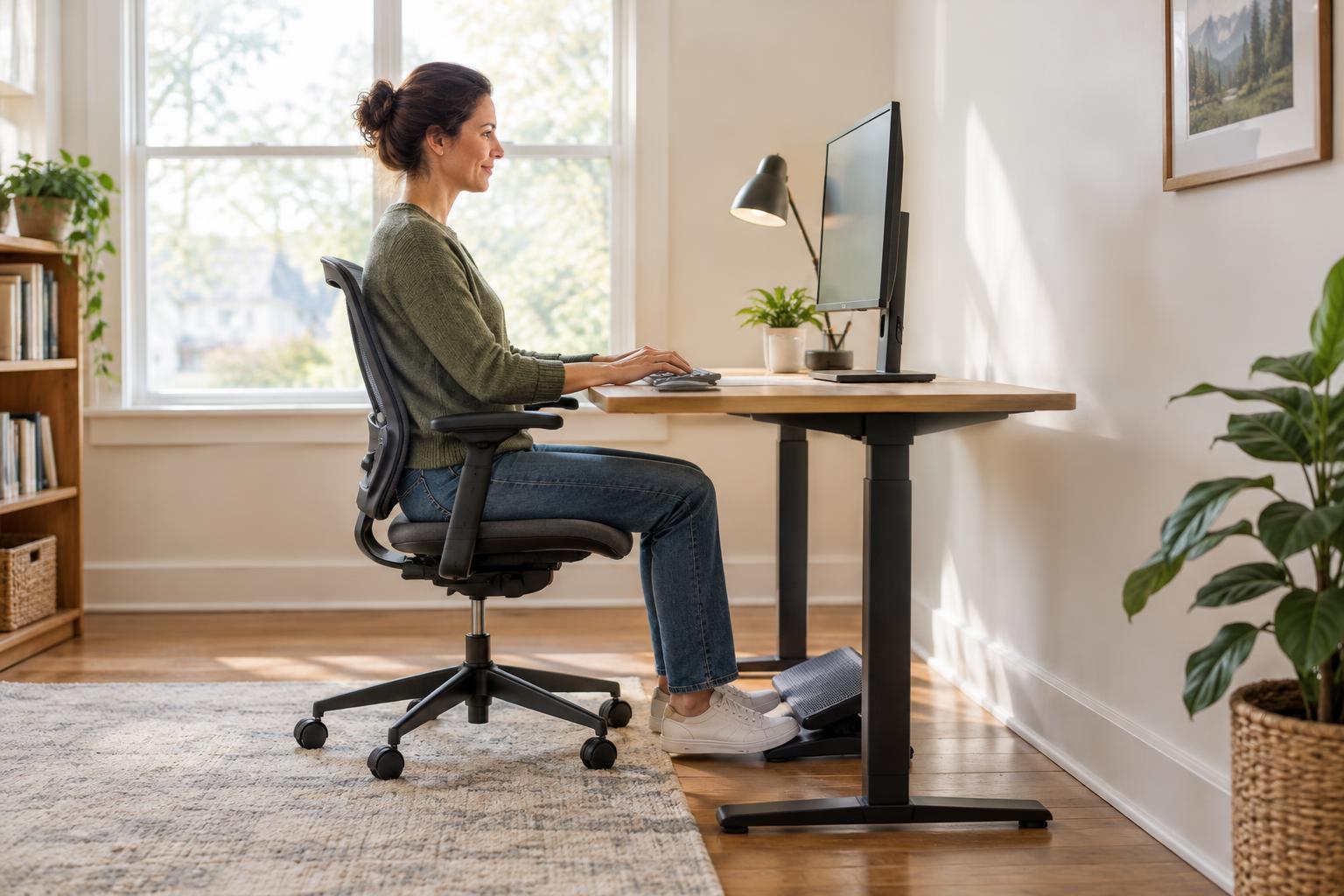
Begin with your feet. Adjust the chair until they rest comfortably on the floor, with your thighs supported by the seat. You should be able to sit back without the seat edge pressing firmly behind your knees. If the seat is too deep, a suitable back cushion may help you use the backrest while keeping your feet supported.
Next, check the chair back. Position it so you can sit against it without being pushed into an awkward curve or forced to lean away from your work. If the chair has armrests, they should not make you raise your shoulders or prevent you from moving close enough to the desk. Lower them or move them out of the way if they interfere.
Do not worry if this chair height leaves the keyboard too high or too low. First establish a seat position that supports your legs and back; then address the height of the typing surface.
Match the keyboard height to your arms
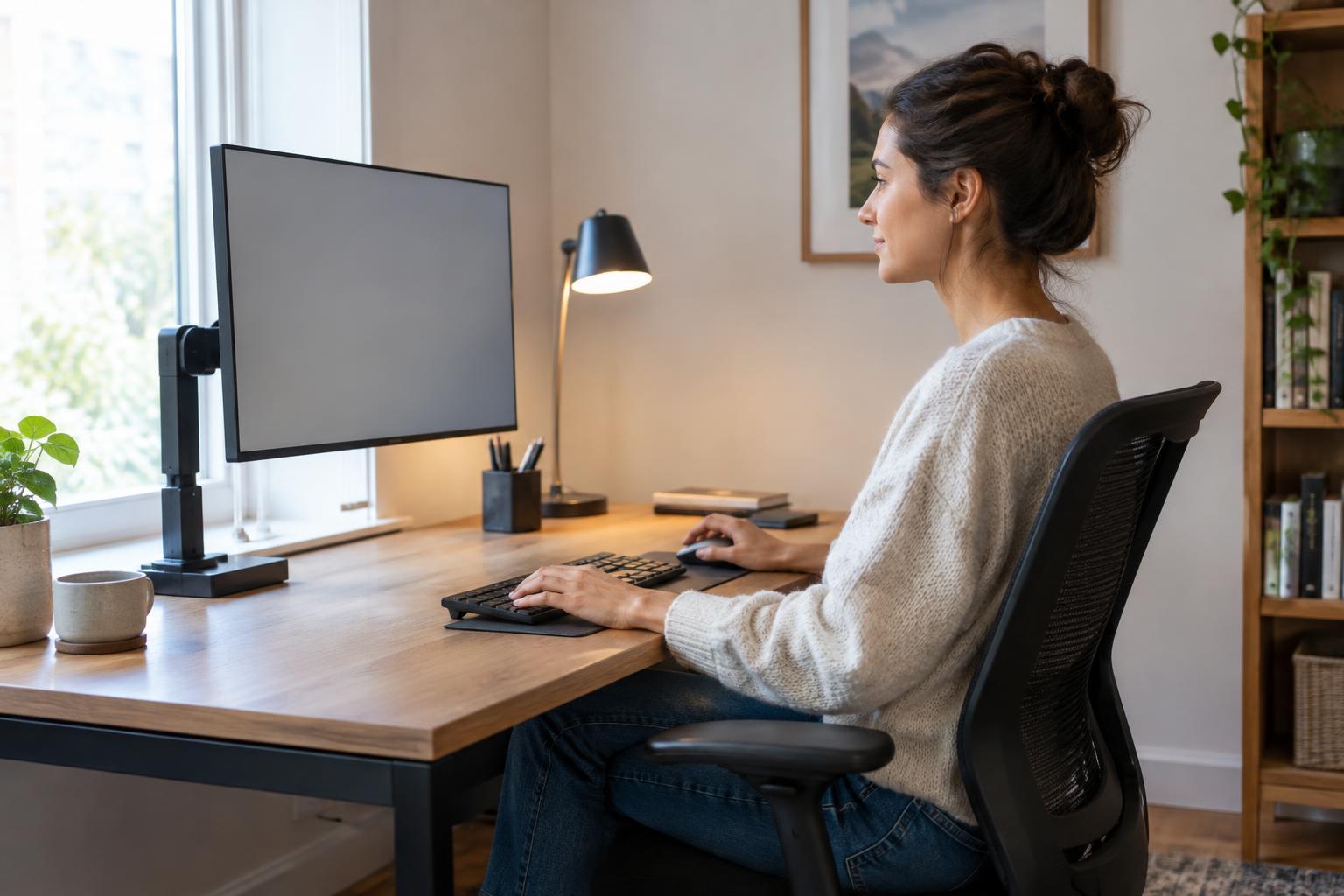
With your shoulders relaxed and upper arms near your sides, aim for a keyboard position that lets your forearms reach the keys without an uncomfortable upward bend at the wrists. Your elbows may be roughly level with the typing surface or a little higher. Keep the keyboard close enough that you do not have to stretch for common keys, and leave room for the mouse beside it.
A fixed desk can complicate this adjustment. If the desk is too high when your feet are supported, raising the chair may improve the arm position, but you may then need a stable footrest. Another option is an adjustable keyboard tray, provided it has enough room for both keyboard and mouse. If the desk is too low, check whether its legs can be safely raised or whether another work surface is more suitable.
Test changes by typing for a few minutes rather than judging from a still pose. Notice whether your shoulders stay relaxed, your elbows remain near your body, and your hands can move freely. A wrist rest, if used, is better treated as a place to rest between typing periods than as something to press against while typing.
Place the screen without undoing your adjustments
Once the chair and keyboard feel workable, position the screen where you can see it while sitting back comfortably. A useful starting point is to place it directly in front of you, around an arm’s length away, with the top of the visible area near or somewhat below eye level. Adjust for screen size, eyesight, and the tasks you do most often; you should not need to crane your neck or lean in to read.
Laptop screens and keyboards are attached, so improving the height of one can make the other awkward. For longer typing sessions, an external keyboard and mouse let you raise the laptop screen independently, using a stable stand or other secure support. If you regularly work from paper, put frequently referenced pages where you can glance at them without repeatedly twisting your neck.
Recheck the setup as your work changes
A good setup should accommodate movement. Even when desk and chair heights feel right, staying in one position for a long stretch can become uncomfortable. Change position, stand up occasionally, and place frequently used items within easy reach. If you use a height-adjustable desk, set its seated and standing positions separately rather than assuming one keyboard height works for both.
Make one adjustment at a time and give it a short trial. If your feet dangle, check chair height and foot support. If your shoulders creep upward, check the keyboard and armrests. If you lean toward the screen, check its placement and whether text is easy to read. This simple sequence makes it easier to identify what helps without rebuilding your entire workspace at once.