Start with the work the room needs to support
A small meeting room may be used for presentations, video calls, spreadsheets, training or a mix of all four. Those uses place different demands on a screen. Slides with large text are fairly forgiving; a spreadsheet shared during a discussion needs sharper detail. Before comparing equipment, note where people sit, what they will look at most often and whether they need to read small text from the farthest chair.
Also consider how quickly meetings need to start. A room used for short, frequent calls benefits from a setup that is ready with few steps. A room reserved for occasional presentations may justify more setup if it delivers the image size the group needs. Neither a projector nor a display is automatically the better choice: the useful comparison is how each fits the room’s daily routine.
Compare image size, light and readability
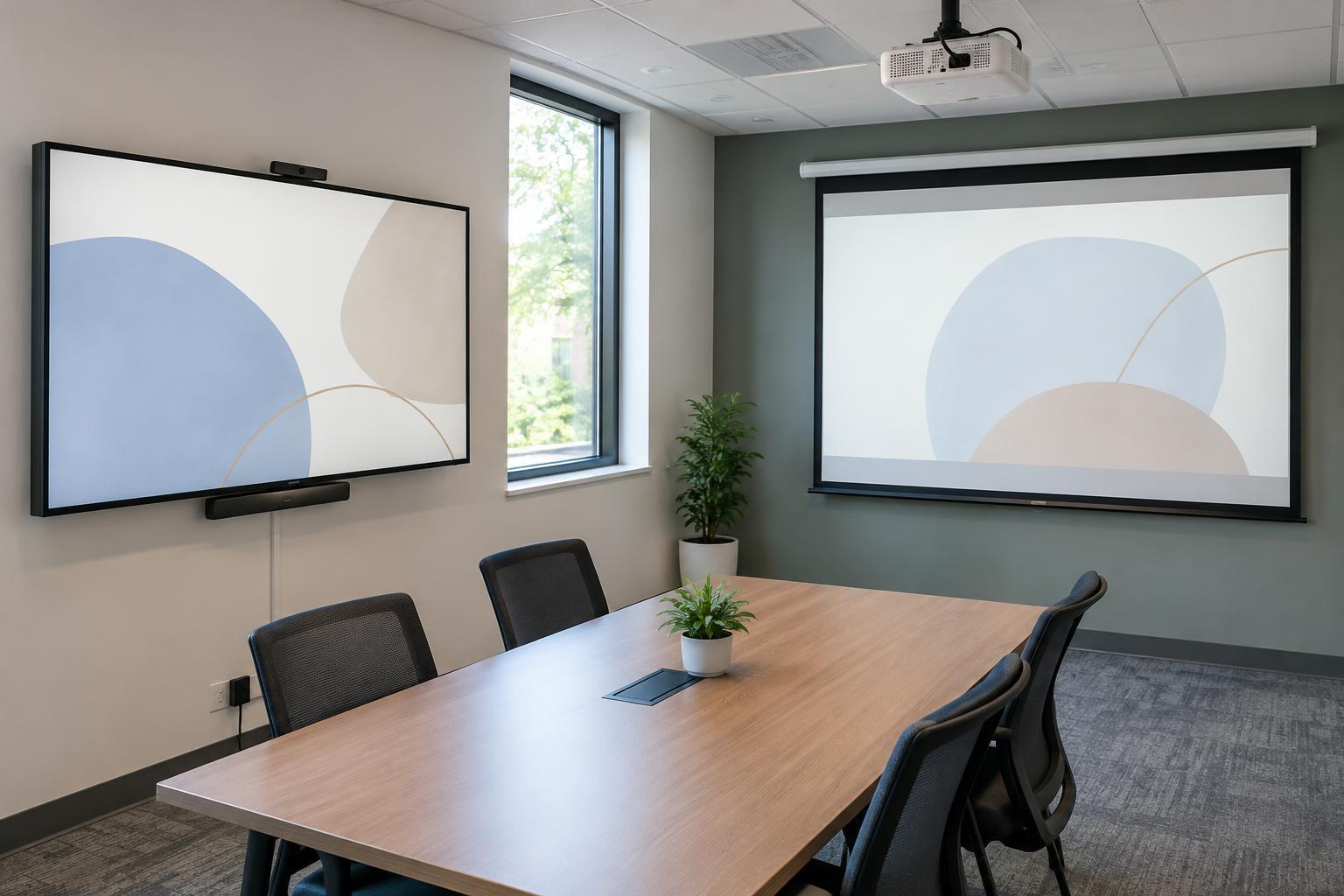
A projector’s main advantage is flexibility in image size. With enough distance and a suitable wall or screen, it can show an image larger than many wall-mounted displays. That can help when several people need to follow a presentation. The trade-off is that projected images compete with light in the room. Windows, overhead lights and a pale image may make fine text harder to read, even if the picture looks large.
A large display usually holds its contrast better in a bright room and presents crisp text without requiring a separate projection surface. Its size is fixed, however, and the largest suitable model may take up substantial wall space. For either option, test readability rather than judging size alone. Open a typical document or spreadsheet, sit in the farthest seat and check whether labels and details are comfortable to read at the scale people will actually use.
Plan the installation around the room
A display can often go on a wall or stand near a power outlet. Before choosing one, check the wall’s suitability, the mounting hardware, cable routes and whether the screen will be high enough to clear the table without forcing people to look up uncomfortably. A stand may offer more flexibility, but it occupies floor space and needs a safe location where it will not block movement.
A projector needs a clear path to the screen and an appropriate mounting or placement position. Table placement can be convenient for occasional use, but people or objects may interrupt the beam. Ceiling mounting keeps the table clear, though it calls for careful planning of power, signal cables and image alignment. A screen or clean, flat wall also matters: an uneven or textured surface can make small text less pleasant to read.
Check connections before buying
List the devices people bring into the room and how they will connect. A simple wired input may be enough for a shared office computer, while a room used by visitors may need a convenient way to connect different laptops. Check the equipment’s actual ports and the cables or adapters your users have. Wireless sharing can reduce cable clutter, but it may add sign-in, network or compatibility steps, so it is worth testing with the devices people commonly use.
Sound is another practical detail. Built-in speakers may be adequate for spoken audio in a small room, but a video-call setup also needs a suitable microphone and camera; the screen choice does not solve those needs by itself. If meetings rely on calls, plan where those devices will sit and how participants will switch between a call and shared content. A clearly labeled cable and a short set of room instructions can prevent more confusion than an extra feature that nobody knows how to use.
Account for upkeep and make the final test
A display is generally straightforward to turn on and use, though it still needs occasional cleaning and connection checks. A projector may require more attention to filters, ventilation, alignment or its light source, depending on the model. Check the manufacturer’s maintenance guidance rather than assuming every projector has the same requirements. For either choice, leave enough access to reach cables and controls without moving furniture.
Before deciding, sketch the room and mark seating, windows, outlets, the intended image location and cable paths. Then compare options using the same sample content in the room’s normal lighting. If the group needs a very large image and can manage the light and installation, a projector may fit well. If clear text, bright-room use and a quick start matter more, a large display may be easier to live with. The best choice is the one people can see, connect to and operate consistently.